
Product Mafia Vs FindNiche, Which One Is Best For Product Research?
Dropshipping is one of the common business models that can make you money with no or low investments, but it will only work if you have got the right strategy and plan to run the business. Also, there are a number of dropshipping tools essential for your business such as some niche analytics tools (FindNiche, Ecomhunt, NicheScraper), with these tools you can explore some really profitable businesses without spending a penny or two.
I will compare and analyze the two well-known niche analytics tools —— FindNiche and Product Mafia, for looking through the best analysis tool for your dropshipping business.
What is FindNiche?
FindNiche is a niche analytics tool for AliExpress&Shopify, which gathers detailed information from more than 1,000,000 products, 11,000 Niches, and 700,000 Shopify stores. With it, you can easily discover winning and trending products, not popular but high margin niches, it also displays top Shopify stores, your new competitors, and dropshippers to help you locate the best niche industry.
What is Product Mafia?
Product Mafia is a dropshipping tool solution for product and advert research. It’s mostly for product research for Shopify store owners, and there is also an ad spy feature that provides users with all kinds of analytic data regarding successful Facebook ads for winning products.
FindNiche Vs Product Mafia comparison
| FindNiche | Product Mafia | |
|---|---|---|
| Pricing | 29$/monthly | 49$/monthly |
| Product Categories | same as AliExpress | limited |
| Product Performance | ✅ | ❌ |
| Product Description | ❌ | ✅ |
| Frequency Of Products | update instantly👍 | around 5 per day👎 |
| Estimated Profit Margin | ✅ | ✅ |
| Connect to Your Store | ✅ | ✅ |
| Advanced Filtering and Sort Options | ✅ | ❌ |
| Ad Spy | ❌ | ✅ |
| Shopify Stores List | ✅ | ❌ |
| Stores Analysis | ✅ | ❌ |
| Target Country | ✅ | ❌ |
| Top Suppliers | ✅ | ❌ |
1. UI design — FindNiche is easier for users to explore, Product Mafia looks more complex
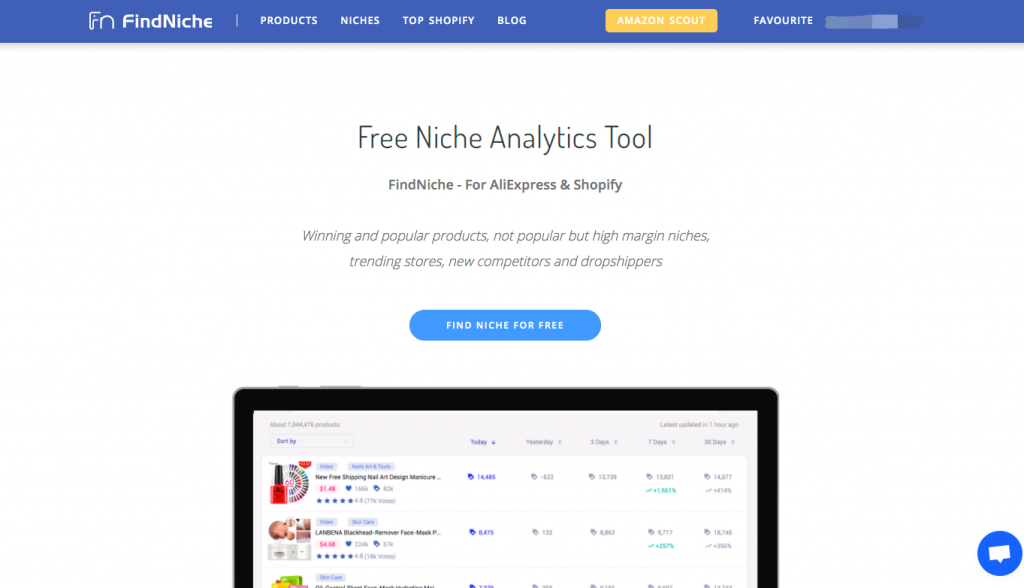
When you enter FindNiche’s homepage, you can clearly understand the function and uniqueness of this tool, and it also provides a 2-minute video demo regarding how to use FindNiche. Simple blue and white are the main colors of this website, giving visitors a great visual experience. The header navigation bar has 4 main navigations, which are Products, Niches, Top Shopify, and Blog.
Compared with FindNiche, Product Mafia looks more serious, the main color of its homepage is black, which is a little bit mafia-like style, and the page has more other colors. It does not seem to have a homepage that introduces product features or provides useful guidance. Similarly, it also has 4 main navigation bars, Product Spy, Ad Hunter, FAQ, Blog, and the Product Spy navigation page is the homepage as well, which you will see every time you enter the Product Mafia. Actually, this page is like a mixing style of Thieve&Droppoint, the interface design is similar to Thieve, while the countdown setting for unlocking the product is similar to that of Droppoint.

Product Mafia links to Facebook for live chat. FindNiche's current site focuses on directly accessible research and editorial pages rather than member messaging.
2. Product analytics — more products are available in FindNiche
① Product database
FindNiche’s products are mainly based on AliExpress. The product data of FindNiche is captured by the robot, it tracks meaningful data from a big raw database, and the data of products is updated every hour. These products rank according to different indicators. Now its massive data update on a daily basis.

For Product Mafia, we haven’t know the amount of its data yet, but we can see that Product Mafia’s products come from AliExpress, Amazon, eBay, and other channels by checking the product details page. It seems that there should be a lot of products. However, this is not the case, the number of Product Mafia’s daily updated product is about 5, and you have to activate the Pro plan to access most of the products.
② Search and filters
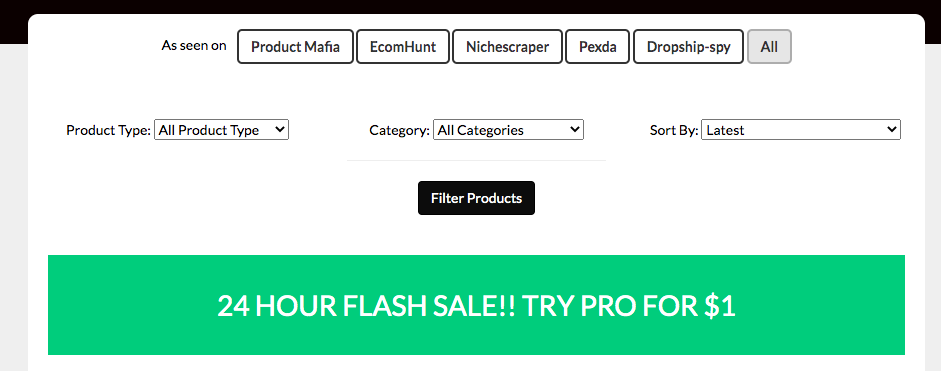
There are not many filter conditions for Product Mafia. As you can see from the figure below, the filter conditions for products are:
Product Type: untapped product special product
Category: Baby &Kids Camping &Outdoors Fashion Fitness ……
Sort By: Most Orders Highest Engagement Selling Price: Most Expensive Selling Price: Cheapest Highest Profit Margins
While for FindNiche, dropshipping products can be sorted by:
Keywords or URL from AliExpress Categories Top Country Total Orders Order last X days Order last X days growth Star Rating Reviews Price Shopify Sellers Ship From Support Paypal ……

It is not difficult to see that in terms of the product database, FindNiche far exceeds Product Mafia, and FindNiche has many filter conditions, which can help you narrow down and locate your niche products more accurately. In addition, FindNiche also provides “filters recommend”, which presets some combination filter conditions, such as Optimization potential, New Hot-selling, users can directly get a list of related products by clicking one button, which is very user-friendly, and you can also save your own filter settings.
③ Product information
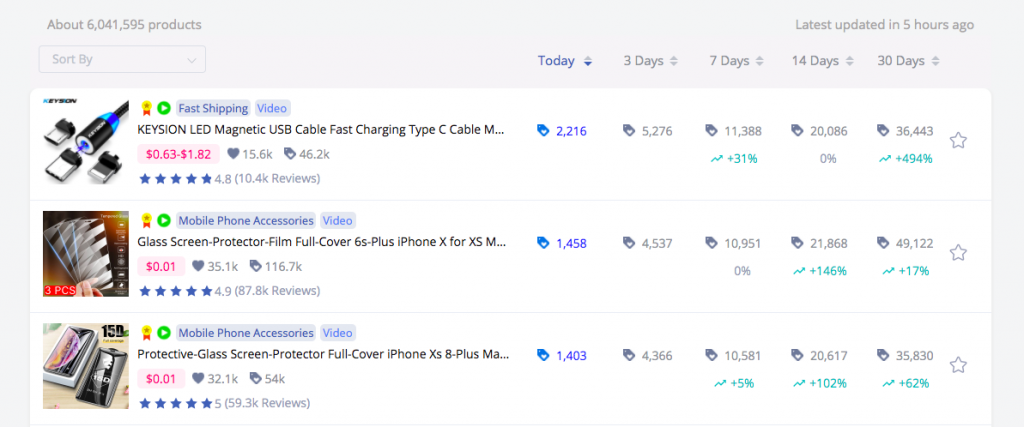
When we search for products in FindNiche using filter criteria, we can get a long list of products we searched for, including product thumbnails, names, price ranges, star ratings, reviews, today’s order, and the past 3 days, 7 days, 14 days, 30 days of orders.
Select a product, enter the product details page, we can see more details about this product, such as shelf date, product performance, founded date, and so on. Besides, if you like this one, you can add it to your favorite list and you can link to the AliExpress store which is selling this one and the amazing thing is, you can also link to the Shopify store which is selling this now! In this way, you can not only find suppliers but also competitors, you can investigate their store — how they run their store and what are their marketing strategies.

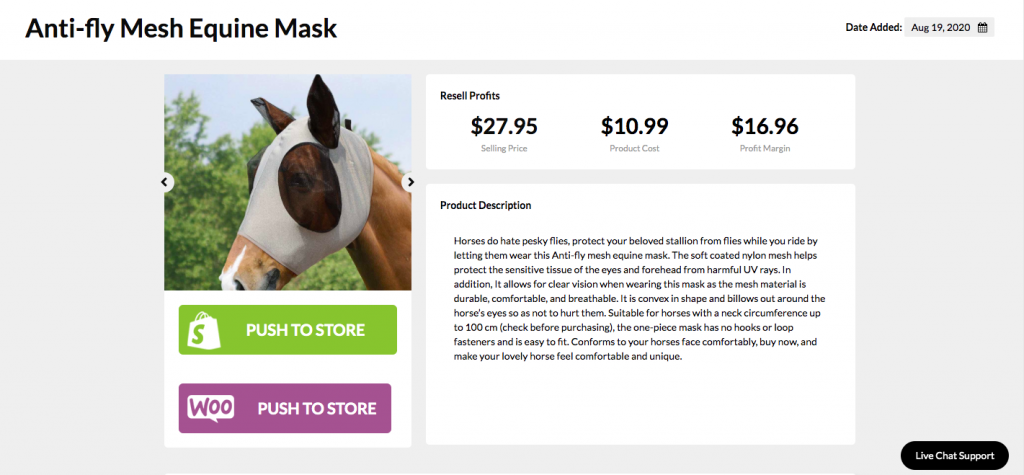
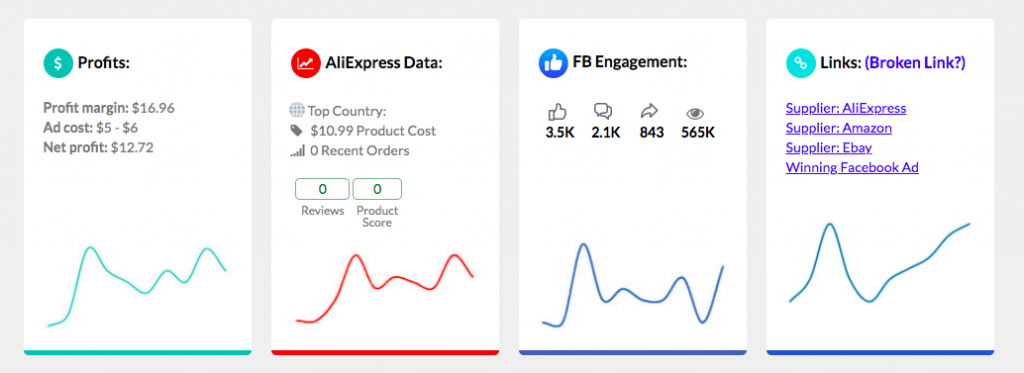
As for Product Mafia, the situation is different. When you click into the product details page, you can see the product picture, estimated resell profits, and product description, you can also see some simple line graphs about the product profits, FB engagement, but it is a static graph, on this graph you are looking, there is no change in the graph.
Furthermore, one of the very powerful features is that you can directly push this product to your Shopify or Woocommerce store. In addition, you can directly link to eBay, Amazon, and AliExpress pages corresponding to this product. There is not much other product information. Of course, only a few products are free to view, and most of them require payment to unlock.
3. Top Shopify stores — only showed in FindNiche
FindNiche offers a full list of Top Shopify, which can be selected through categories and top countries. It shows address, target country, ads in 30 days, FB likes, and rank of these stores. You may check out the successful stores and your competitors as well, you may get great inspiration through tracking their store operation and data changes. Meanwhile, you can also check the newly opened store in the last 30 days, and how they start.

While for Product Mafia, there is no Top Shopify provided on the page, but it offers winning Facebook ads for you, you then can find your competitors in this way.
4. Pricing/membership plan
FindNiche no longer offers the Free, Pro, and Elite subscriptions described in the original comparison. Its current research pages can be accessed directly.
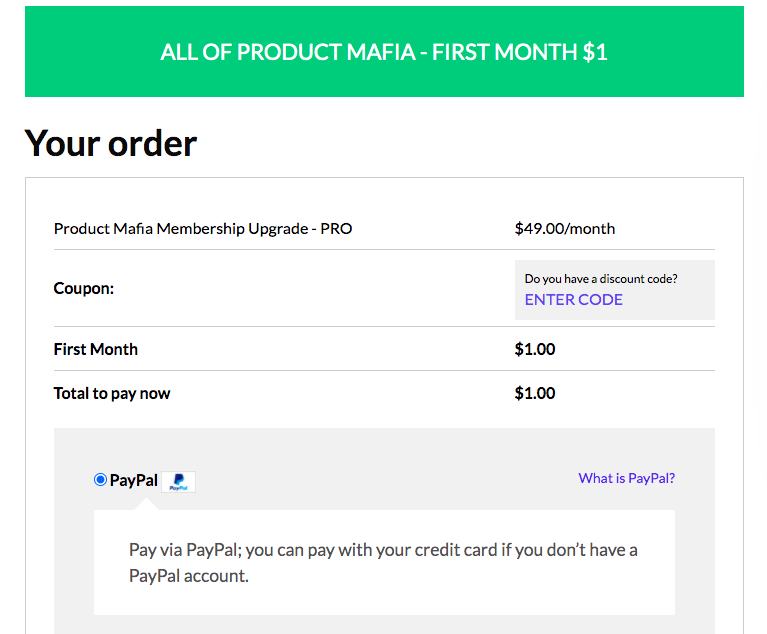
For Product Mafia, it seems like it only has one plan, however, there is no introduction to this plan. It charges $49 per month, you only have to pay $1 for the first month.
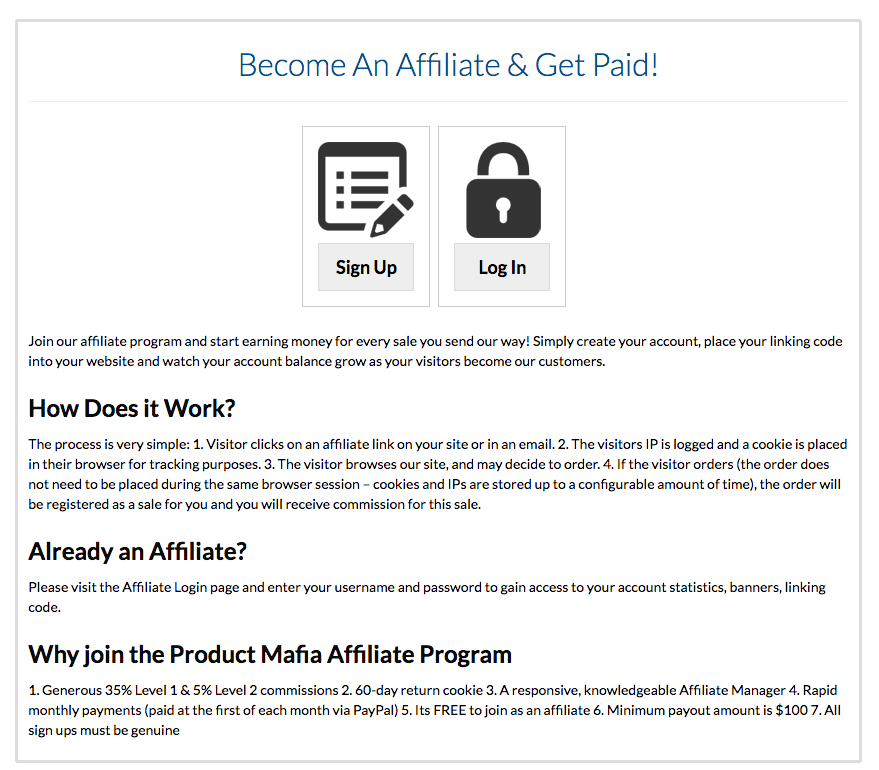
Besides, Product Mafia has an affiliate program, from which you can get a commission.
Conclusion
In general, the amount of product data provided by FindNiche is much greater than that of Product Mafia. If you are focusing on product selection, then FindNiche must be your best choice. Product Mafia is not only limited to products but also provides advertising content. His content is wide but not deep. However, his affiliate program is quite attractive.
FindNiche focuses on products and Shopify stores, with a clearer positioning and audience. If you are a dropshipping practitioner, then it is recommended that you still go to FindNiche to select your award-winning products rather than Product Mafia.
Why not Choose Product Mafia?
Product Mafia does not provide product performance, and we cannot see the recent order or other data performance of a specific product. In addition, Product Mafia does not have enough products updated daily, only 5 per day, which is too small for dropshippers. In terms of usage, the filtering and sort options provided by Product Mafia are not enough to meet our needs. ##### What is the best alternative to Product Mafia? Without hesitation, I think the best alternative to Product Mafia is FindNiche. ##### What are the advantages of FindNiche compared with Product Mafia? 1.UI design —FindNiche is easier for users to explore, Product Mafia looks more complex.
2. Product analytics — more products are available in FindNiche. What makes me feel most practical is that FindNiche provides advanced filtering and sort options that can perfectly fit our needs.
3. FindNiche provides Top Shopify stores which can help us find competitors' Shopify Store. ##### What is the price of Product Mafia and FindNiche? For Product Mafia, it seems like it only has one plan, however, there is no introduction to this plan. It charges $49 per month, you only have to pay $1 for the first month.
FindNiche no longer offers the subscriptions or referral-based member access described in the original comparison. Its current research pages can be accessed directly.